When Native Tools Fall Short: Closing the Compliance Gap with PowerShell + Microsoft Graph


Over the last few weeks, I’ve been leading a data security engagement for a customer struggling to meet a very specific compliance requirement: identify and delete emails containing U.S. Social Security Numbers (SSNs) already stored in Exchange Online mailboxes.
Simple ask, right?
Turns out, not so much.
The Problem
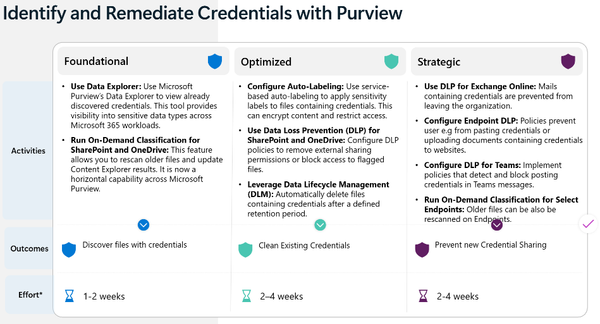
Microsoft Purview offers a robust set of tools for compliance, but its Data Lifecycle Management (DLM) auto-labeling policies do not scan mailbox content at rest for Sensitive Information Types (SITs) like SSNs. This is confirmed both in Microsoft documentation and through direct testing:
"Live policies do not retroactively apply to items already in mailboxes."
Simulation mode can identify historical matches using SITs, but:
- These matches are informational only, not enforceable
- Retention labels are not applied to existing mail
- No deletion or remediation occurs without manual steps
Even Microsoft's own Customer Connection Program (CCP) and technical community forums acknowledge this limitation. A recent reply from a Microsoft Cloud Solution Architect confirmed:
"Auto-Labeling (service-side) of Emails at rest is on the roadmap — stay tuned (No ETA yet)."
What Others Are Saying
This isn’t an isolated problem. Multiple practitioners (including consultants, internal security architects, and enterprise compliance leads) have posted about this limitation on LinkedIn, GitHub discussions, and the Microsoft Tech Community. The general consensus: this is a known gap in the Exchange Online + Purview DLM experience.
The Real-World Impact
For the customer, this wasn’t theoretical. They needed to:
- Search all user mailboxes for historical SSNs
- Confirm each match in context
- Delete messages in a controlled and compliant way
Purview alone couldn’t do it.
The Solution
To fill the gap, I developed a PowerShell solution using the Microsoft Graph API with app-only authentication:
- Scans mailboxes for SSNs using regex and keyword scoring
- Assigns High / Medium / Low confidence levels based on proximity to terms like “SSN,” “Tax ID,” etc.
- Strips HTML and extracts 150 characters of context around the SSN match
- Outputs results to CSV for manual review or bulk deletion
- Offers optional deletion with logging and review controls
Real-world tested and proven effective where native tools fail
Deployment Steps
- Register an app in Entra ID with Mail.ReadWrite and User.Read.All (application permissions)
- Admin consent the app and generate a client secret
- Configure the script with your tenant ID, client ID, and secret
- Run the script, review the CSV, and delete with confidence
Sample Output


Why Does it Matter?
Security tools are never one-size-fits-all. Even powerful platforms like Microsoft Purview have edge cases and blind spots. In those moments, the difference between risk and resilience is often a well-placed script and a clear understanding of how the ecosystem works.
This was a reminder that real-world problems don’t always have button-click solutions. Sometimes, you’ve got to drop into code to get it done right.
Download + Details
If you're facing similar limitations in Exchange Online, I’ll be publishing the full script and deployment guide this week. Follow me or drop a comment if you'd like early access.