Quick Purview File Decryption in a Pinch


It's 7:59 AM, you're not even one cup of coffee deep, and the HR Director is pounding down your door because they're locked out of a critical personnel file...which was encrypted by a terminated employee account you deleted yesterday.
Let me show you how to regain access fast without waiting on slower Purview workflows.
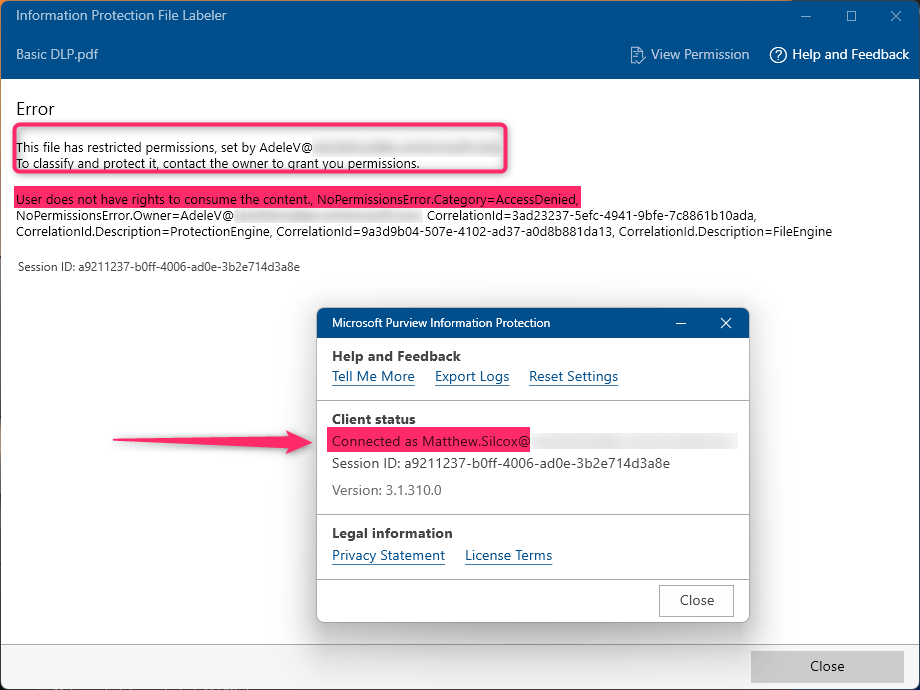
When someone applies a sensitivity label that includes encryption, they become what we call the Rights Management owner. Unless they explicitly remove or modify the file permissions, no one else (no, not even a Compliance Admin) can decrypt it.
Enter...the AIP Super User
AIP Super User mode is essentially "break glass" mode for emergency Purview encryption removal. First, what does it look like when I try to access the encrypted file via my Compliance Admin account?:
Now, let's resolve this by adding ourselves as an AIP Super User:
- In PowerShell, install and import the AIPService module via Install-Module AIPService and Import-Module AIPService
- Run Connect-AIPService and authenticate with a Compliance Admin account.
- Run Enable-AIPServiceSuperUserFeature.
- Add an admin account by running Add-AIPServiceSuperUser -EmailAddress admin@yourorg.com.
- To verify these steps worked, run Get-AIPServiceSuperUser.

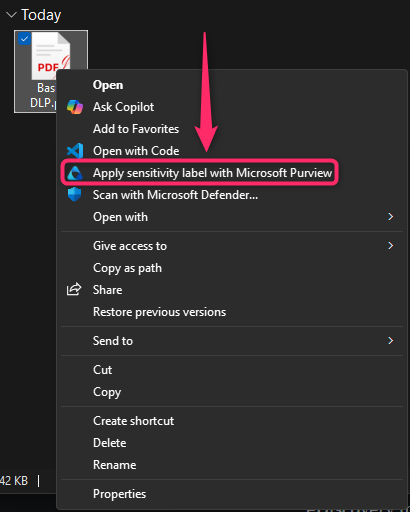
Now, you should be able to open the file with the Microsoft Information Protection client:
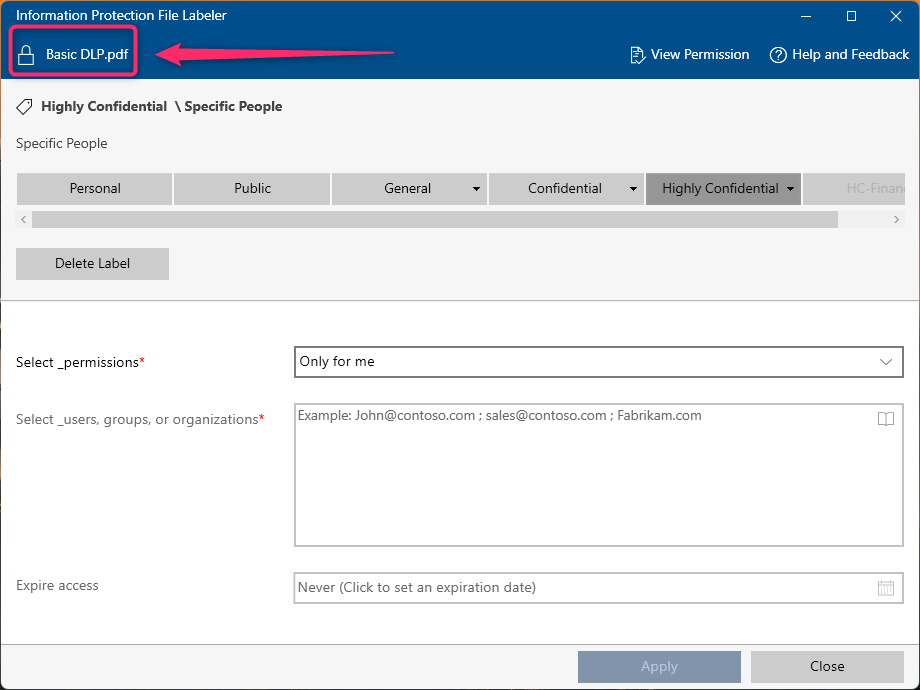
Happy Director, happy Compliance Admin.