Purview SITs & the Character Proximity Setting


Building Custom SITs is one of the most powerful things you can do for tenant-specific Data Security in Purview. In a previous post, I went over how to do exactly that. But, powerful can also mean dangerous.
Enter: Character Proximity
I could make this post really short by just saying "don't touch it", but that's boring and I don't like being bored.
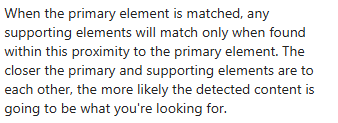
Each SIT can have a Primary Element and a Supporting Element. In the case of a typical SSN SIT, the primary might be a formatted 9-digit string. The supporting element might be the letters "SSN".
Character Proximity allows us to tell the Data Classification Service how far apart the primary and supporting elements can be from one another in order to consider it a SIT-match.
So, why not just max it out?
Using the "Anywhere in the document" option sounds viable in theory. But, not only do you increase your chances for false positives, you also risk processing timeouts. Purview reads Excel files, for example, like we read a book (i.e., left-to-right, top-to-bottom; not cell-by-cell).
If you've got a spreadsheet with a column header of "Classnumber" (look what's between "Cla" and "umber") and a cell on row 497,000 that looks like "KLA112-34-7897ggTTy", and you've selected "Anywhere in the document" for Character Proximity, you've created a resource hog. A resource hog that could very well allow sensitive data to bypass your DLP policy.
"Maximum size of text scanned from a file: The first 2 million characters (~2 MB) of extractable text. If a file exceeds this limit, first 2 million characters are scanned, and a “Document didn’t complete scanning” signal is emitted." -Microsoft DLP Policy Reference
Evidence and instance caps can also start working against you
Purview caps how much "evidence" it will hold per item and forces instance-count logic to live within min/max bounds. When you use "Anywhere in the document", one stray keyword can validate a very large number of primaries...meaning:
-You can blow past evidence caps, so some pairings are dropped during evaluation (bad).
-You can push your instance count above a configured max, meaning your DLP rule doesn't match at all (very bad).
One other thing to note is that email body and each email attachment are considered separate items. A keyword in the email body won’t validate a primary match inside an attached PDF, even with "Anywhere in the document" selected. Character Proximity never crosses those item boundaries, so keep this in your toolbox for DLP policies scoped to Exchange mailboxes.
I've said it before and I'll say it again
Data Security lives in nuance. The more customization options you have at your disposal, the more you're open to detriment when you don't read the fine-print. There will be times when increasing Character Proximity from the default of 300 is necessary, just make sure your policies and rules are built to support these edge cases. Some solid options are raising Min-instances and/or tightening supporting elements, just make sure you're testing against real (big) files while watching for "didn’t complete scanning" signals.