DLP Policy Hits and other associated musings


I've been getting a lot of questions lately in follow-up to my 99% DLP policy post.
I followed your advice and have this nifty DLP Policy broken into three rules. How on earth do I sort through all of the Activity Explorer hits and tune this thing?
Well, for one, don't forget to enable DLP Analytics. It's a powerful, not-often discussed feature. Maybe I'll touch on it in a future post.
And two: I agree my DLP rule structure seems complex on the surface; however, that complexity comes from working with hundreds of customers who needed real-world DLP architecture solutions.

Madness, meet method.
Say you recently created this DLP policy:

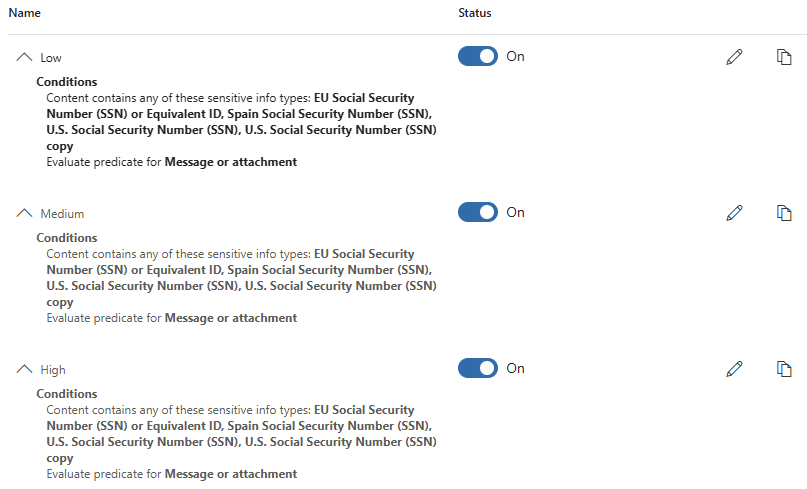
And you created these three rules within it:
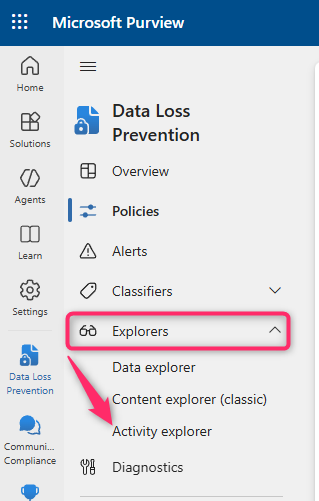
It's been a few days and you want to take a look at what it's flagging, so you pop over to the Activity Explorer:
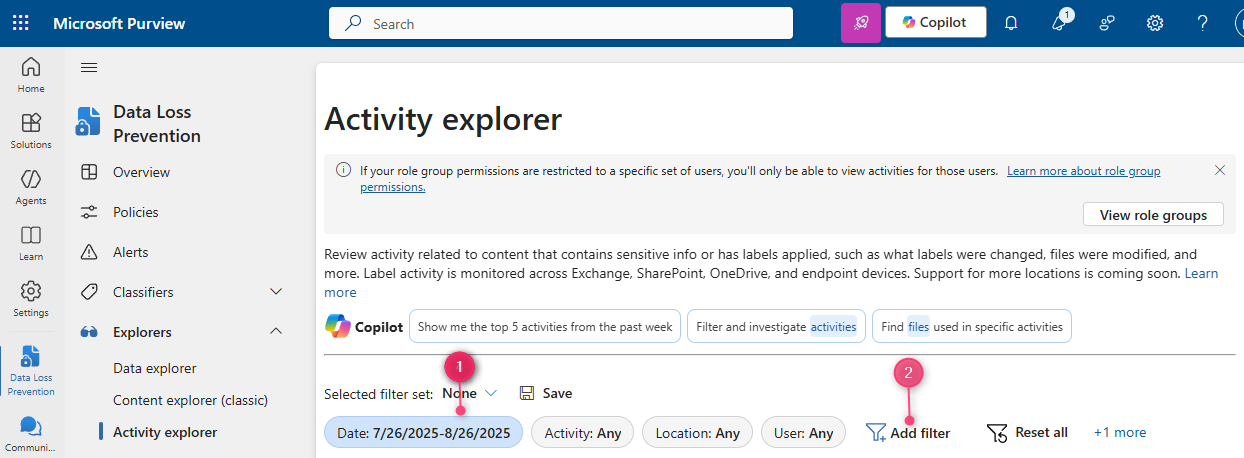
Send the "Date" filter back as far as it will go (30 days as of now), and add the following filters:
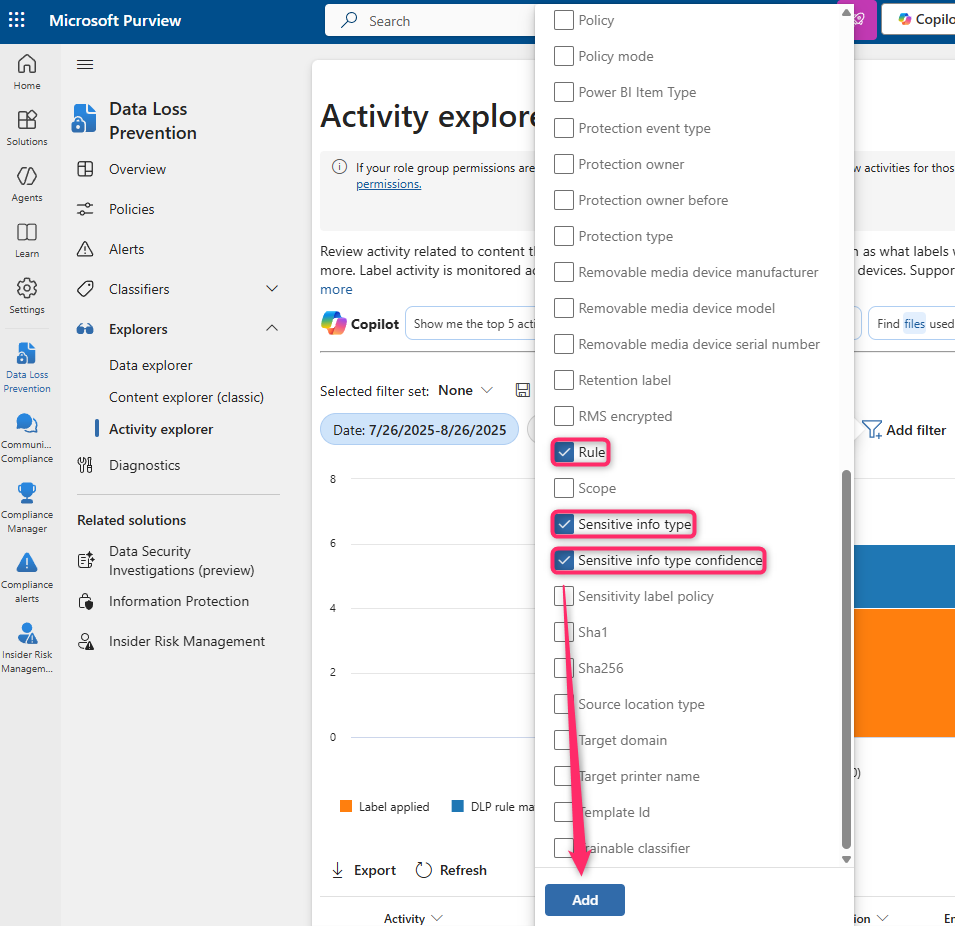
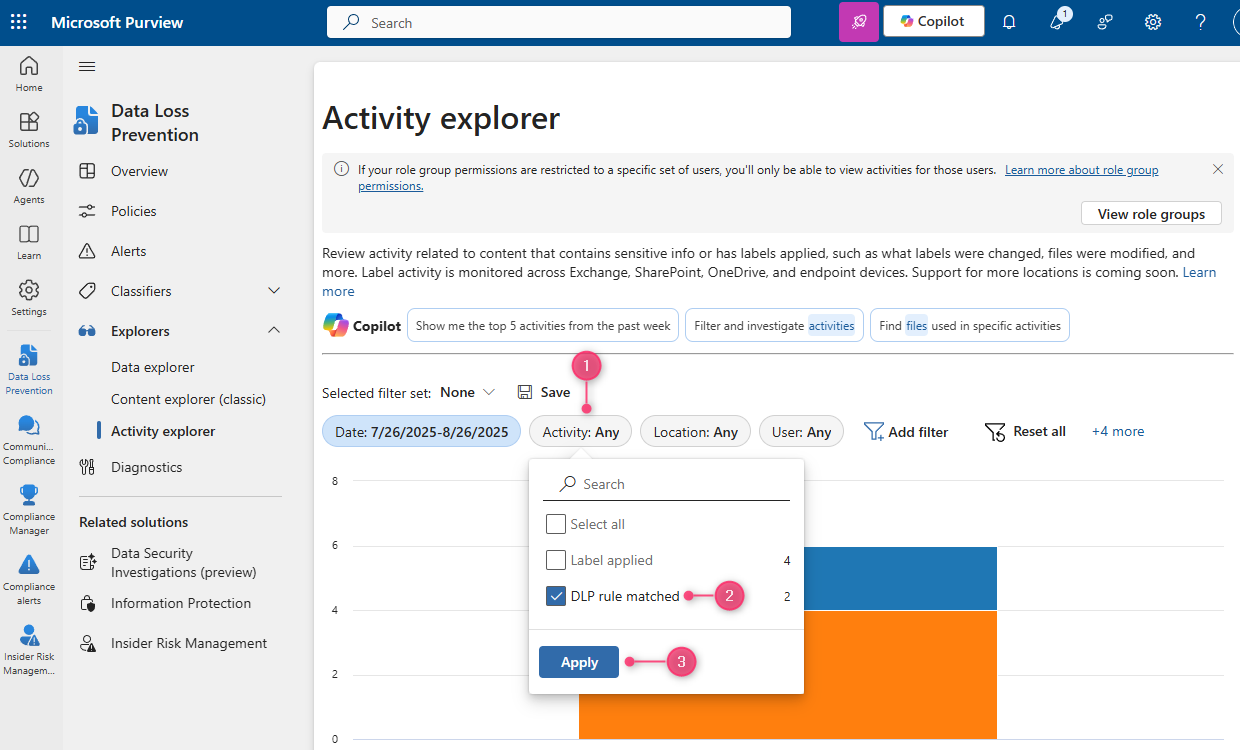
Now select "DLP rule matched" in the Activity filter, and click on one of our triggered SITs from the "Sensitive info type" filter:
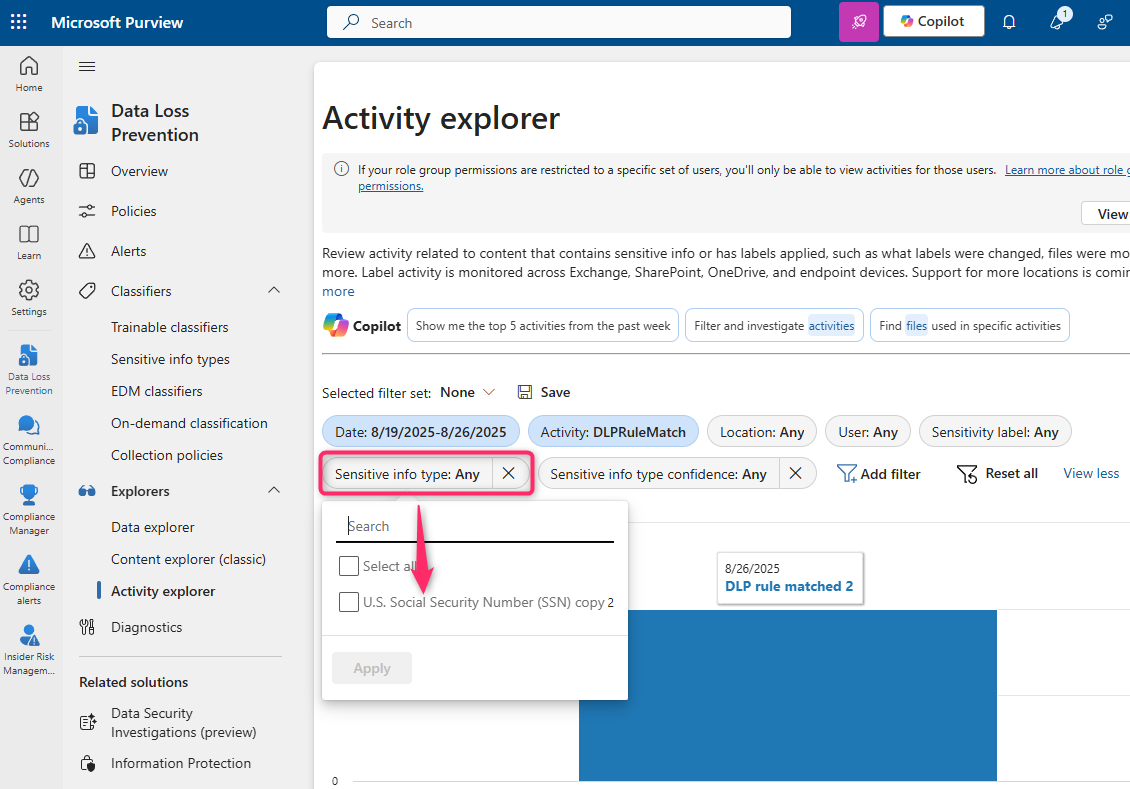
Pick a hit from the table, and you'll get the "DLP rule matched" flyout for it. The two most useful options here will be the "View Source" link and the "Sensitive info type" link:
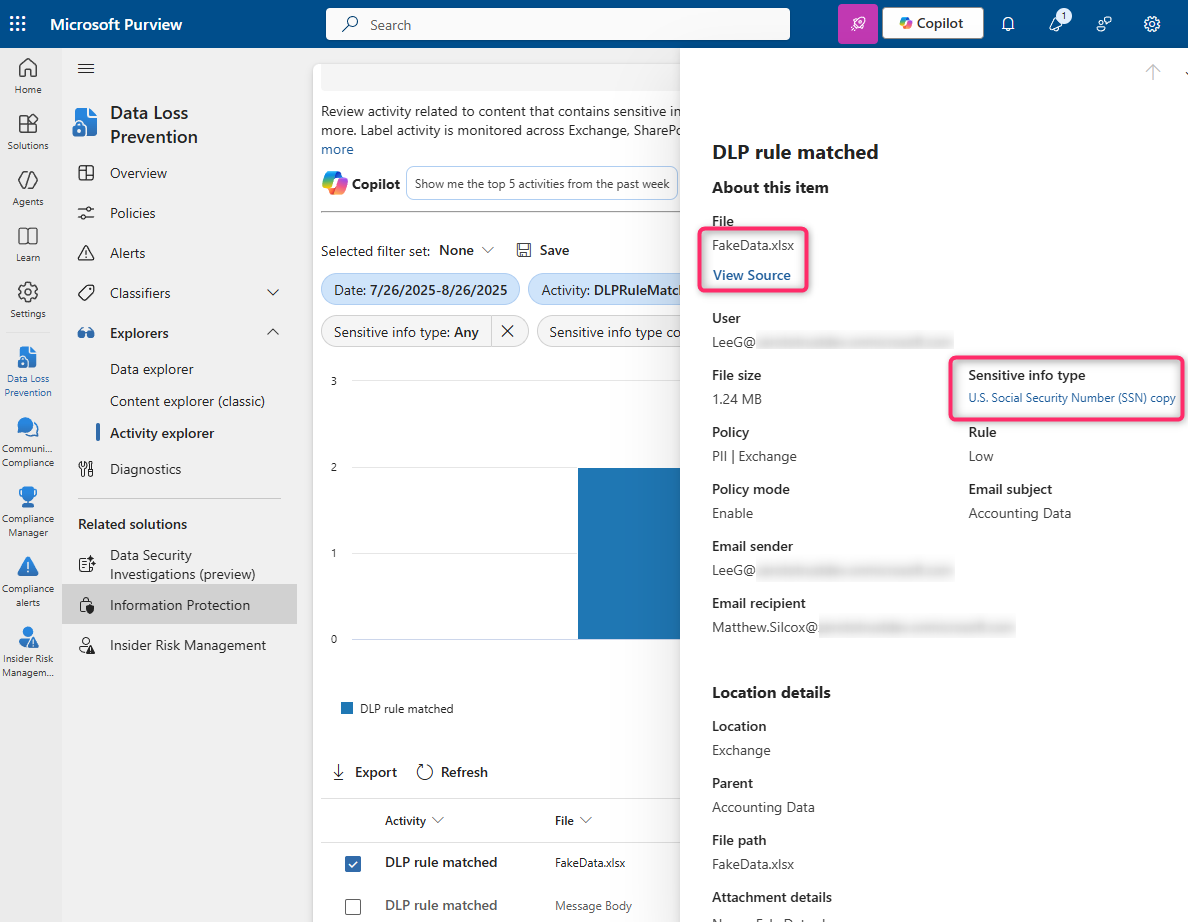
Here's our source-view for the spreadsheet located within that hit:
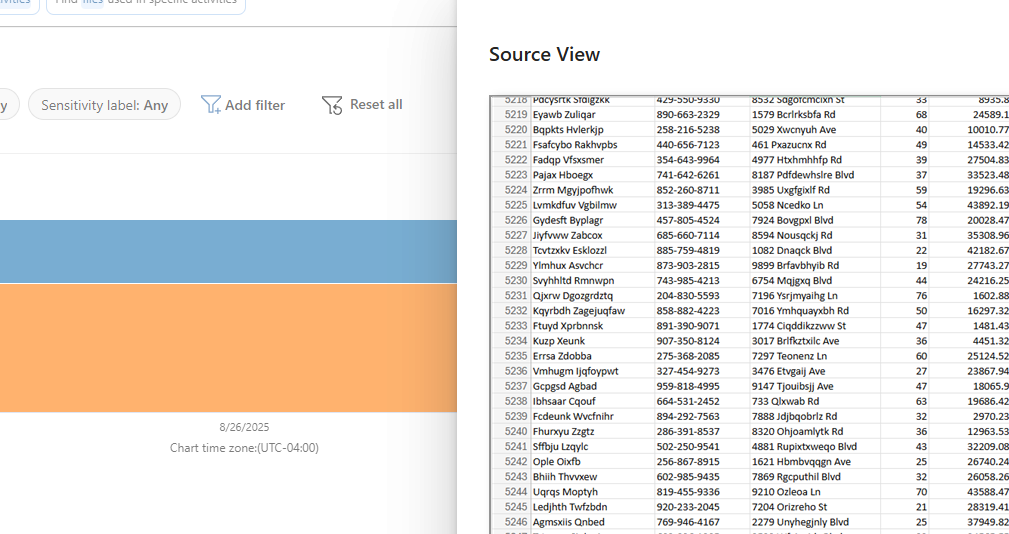
...you expect me to check every single one of these cells for a match???
Not quite.
This is where the aforementioned "Sensitive info type" viewer comes into play. It's actually very common in my practice to have to tell people to click on the SIT hyperlink to see the contextual match. The assumption seems to be that the "DLP rule matched" card is just telling you which SIT triggered. Check it out:
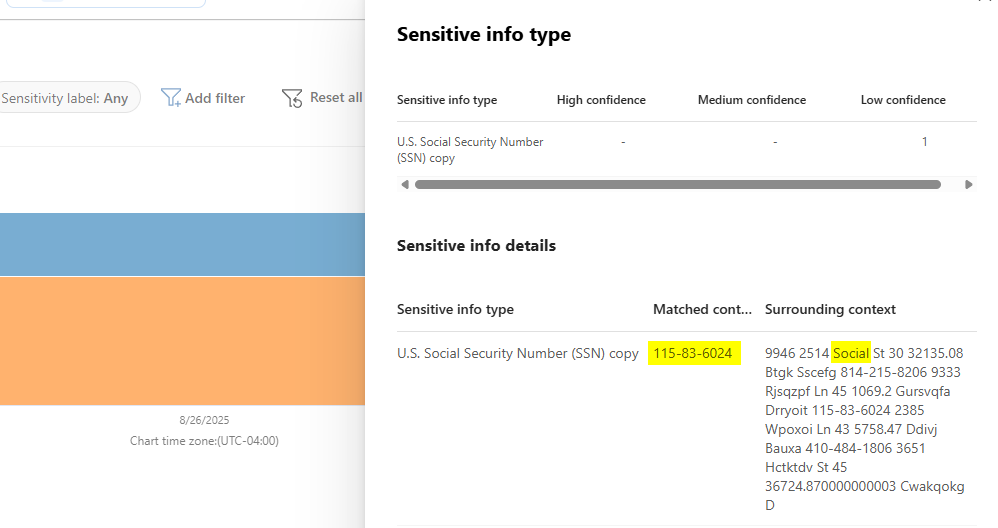
Remember when we talked about the SIT Character Proximity setting? That's where the "Surrounding context" column comes in.
Can of worms.
When I'm walking a customer through this exercise, this is usually where the "you've got to be kidding me" comments start as well as some typical, often rhetorical, questions:
Why is X user storing this data in Z location?
Who else is doing something similar and with what data?
How are we supposed to sort through all of this?
You could technically dig through each and every hit; but, if you're a 5000+ seat org, for example, you likely don't have the time or resources to do that. Besides, you hired us for a reason 😊
Two things:
- Build your DLP policies right the first time.
- Data Security is a marathon, not a sprint.
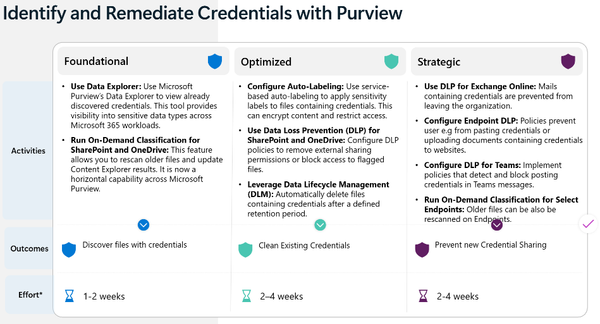
Before Secure by default with Microsoft Purview was published, we had this thing called Crawl, Walk, Run. My version of it was a little different than what's published by the Customer Experience Engineering team, but it was tailor-made for real-world implementations:
Crawl
- Create your industry-specific DLP policies in a way that casts the widest net, but leave them in report-only mode.
- Let them sit like this for a few weeks, but review the Activity Explorer data consistently.
- Make note of any false-positives or high-priority data leaks you find.
Walk
- Enable Policy Tips in your DLP rules.
- This starts training your users without actually blocking their workflow. You will get helpdesk calls and emails, but that's okay because you know in your mind that nobody's productivity is being slowed.
- Using the data gathered in the Crawl phase, begin tuning your policies:
- Maybe you'll create a custom SIT for something like SSN and add your org-specific exceptions.
- Maybe you add user or group-based exceptions in the policies themselves.
- Or, maybe your false-positive count is low enough that you just add exceptions into the Rule conditions themselves.
Run
- This is where you decide:
- Are we going to delete or Quarantine High Confidence content containing sensitive information?
- Are we going to forward High Confidence content to the user's manager for approval/denial?
- Is the nature of our business such that sending sensitive information is part of standard operations? If so:
- Are we going to force Purview Message Encryption?
- Do we modify our DLP policies or rules in a way that only certain business units can share this data unhindered?
The hard truth.
Your Data Security project won't be fast.
A good chunk of my time as a Data Security Architect is spent planting seeds that turn into sprouts that the customer then cultivates after the SOW has been executed. My goal with these projects is always to create the scaffolding needed for a successful implementation, and empower you to take it and "Run" with it after I depart.