Changing the colors of your Information Protection Sensitivity Labels


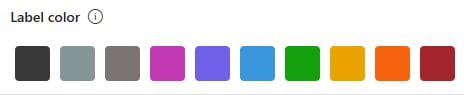
Apparently you can change the default colors of your Information Protection Sensitivity Labels! This is great because, well...why burgundy? Using the following PowerShell cmdlets, I decided to change my "Highly Confidential" label to bright red:
>Connect-IPPSSession
>Set-Label -Identity "Highly Confidential" -AdvancedSettings @{color="#ff0000"}
You can see in these screenshots that the label settings went from the default colors, to now including a checkbox for "Use previously assigned custom color". Choosing the customized label from the Sensitivity Bar in a Word Doc now shows the custom color 🙂